> For the complete documentation index, see [llms.txt](https://ce-docs.keywordrush.com/llms.txt). Markdown versions of documentation pages are available by appending `.md` to page URLs; this page is available as [Markdown](https://ce-docs.keywordrush.com/modules/feed-modules/troubleshooting.md).
# Troubleshooting
Fixes for feeds that won't import, parse, or download correctly.
## First checks
Start here whenever a feed isn't behaving as expected.
#### 1. Verify the import
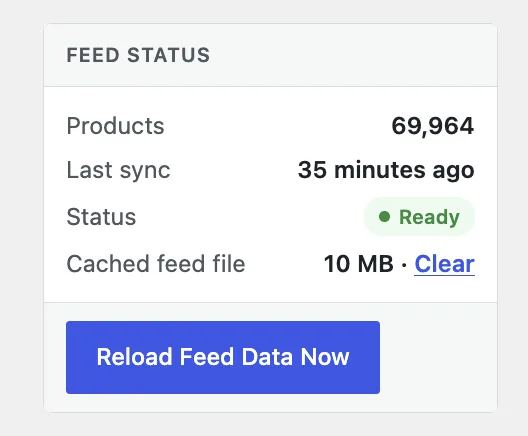
Open the **Feed Module Settings** page and confirm the feed shows a **Ready** status with a product count. This is where you see the current state, the last import result, and the cached feed file.
#### 2. Check the field mapping
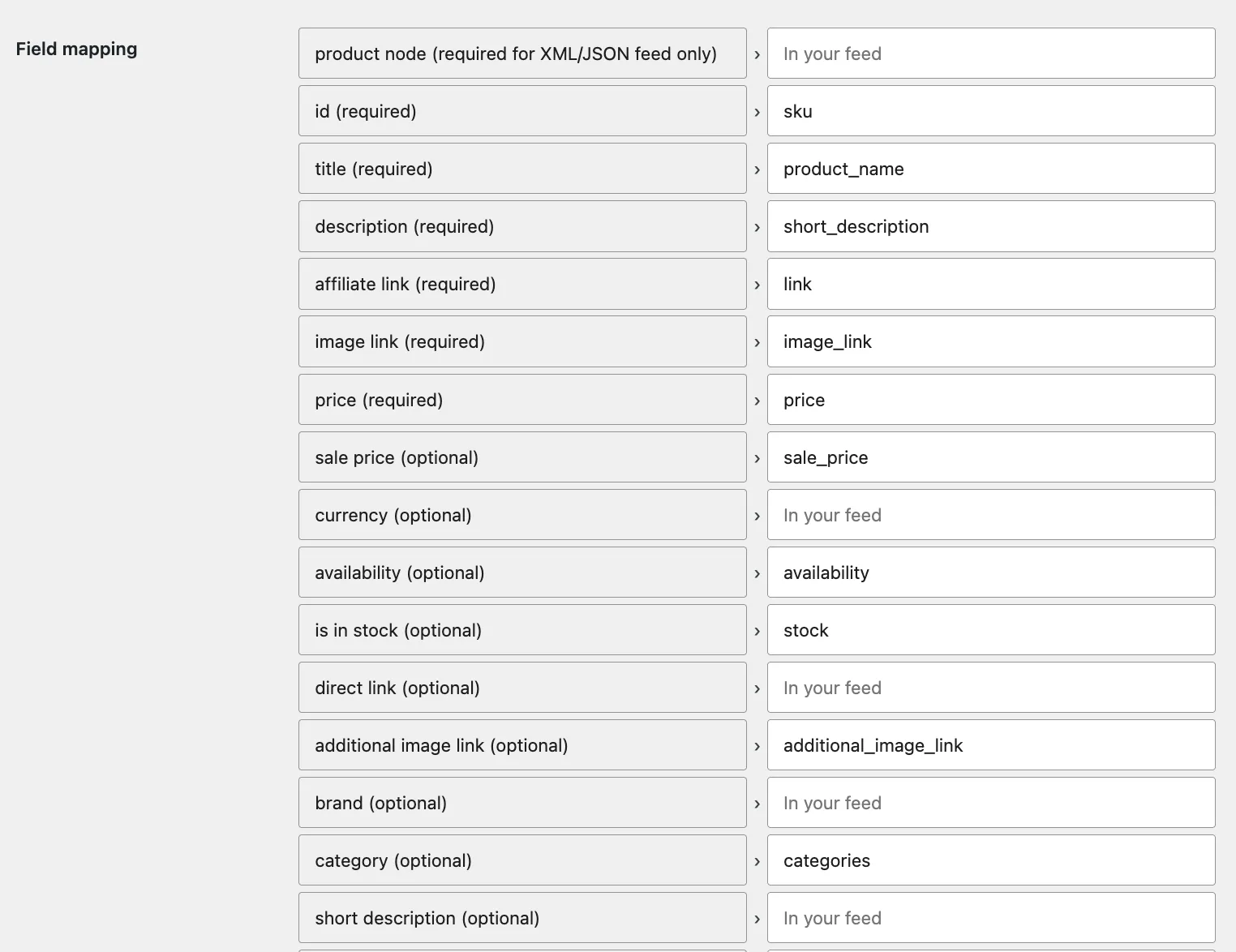
Review your field mappings and fix any missing or incorrect fields. At minimum, the required `id` field must be mapped.
#### 3. Reload the feed data
Click **Reload Feed Data Now** (in the Feed Status panel shown in step 1) to re-sync the products from the feed into the local database. The import runs in the background, so this won't block the page — check back on the same settings page for progress and the result.
{% hint style="info" %}
Changing any module setting also triggers an automatic re-sync.
{% endhint %}
#### 4. Clear the cached feed file
The feed file is cached and reused between syncs to avoid unnecessary downloads. If the source changed in a way that reloading doesn't pick up, click **Clear** next to **Cached feed file** in the Feed Status panel (see the screenshot in step 1), then reload the feed data.
## Common problems
#### XML feed won't parse ("Premature end of data", "Unable to load XML source")
Usually the **product node** is wrong, or the feed nests the product element inside itself (some networks put a click URL as `………`, which the default parser can't read).
* Feeds added through the **wizard** handle this automatically — it detects the right product node and switches the parser when needed.
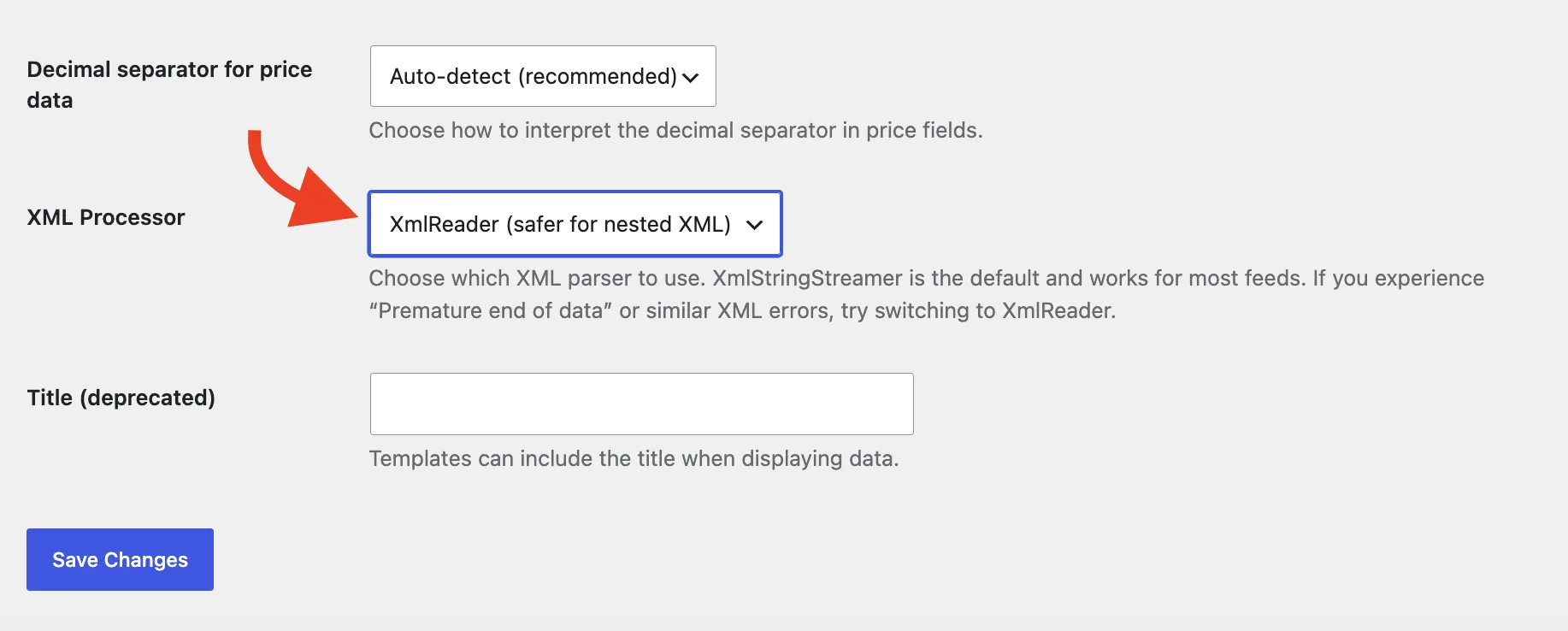
* For a feed set up manually (or one that still fails), open module settings and switch the **XML processor** to **XmlReader**, then reload. XmlReader handles nested and complex XML more reliably.
* Also confirm the **Product node** is the element that repeats once per product (e.g. `product`, `item`).
#### Wrong or empty product fields (wrong product node)
If the sample shows only one field, or products import with missing data, the wrong XML **product node** was detected.
* In the wizard, edit the **Product node** field and click **Re-scan fields** — the sample re-parses so you can confirm it looks right before importing.
* For an existing feed, set the correct **Product node** in module settings and reload.
#### FTP feed won't download
* URL-encode any special characters in the username or password: `@` → `%40`, `:` → `%3A`, `/` → `%2F`. For example, the password `pass@123` becomes `pass%40123`.
* Make sure the URL points to a **file**, not a directory (it must not end in `/`).
* Confirm your host allows **outbound FTP** connections — some managed hosts block them.
#### Wrong currency
The wizard detects the currency from the sample. If it guessed wrong (for example, a feed with no currency field), set the correct currency in the wizard's last step or in module settings, then reload.